3D Plant Platform
PlantScope – Your Plant's 3D Scans in the Browser
PlantScope brings 3D scans of your plant to every desk and tablet. Measure stockpiles and distances, sketch new pipelines, pin documentation to equipment and share views with anyone – straight from a web browser.
Book a demo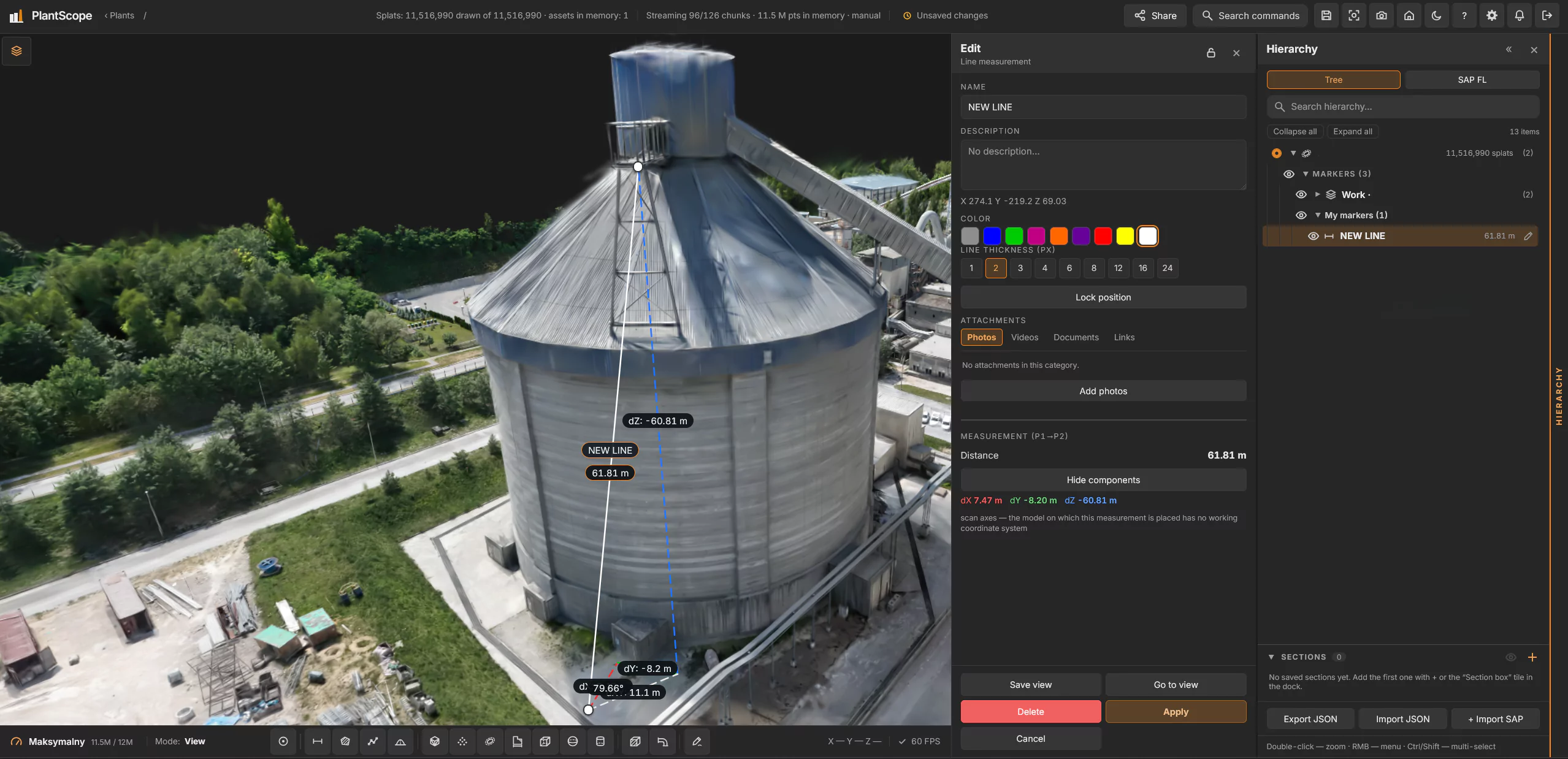
Your whole plant, measurable
What you can do in PlantScope- Explore 3D scans, point clouds and models of the plant (PLY, SOG, LAS, 3D Tiles)
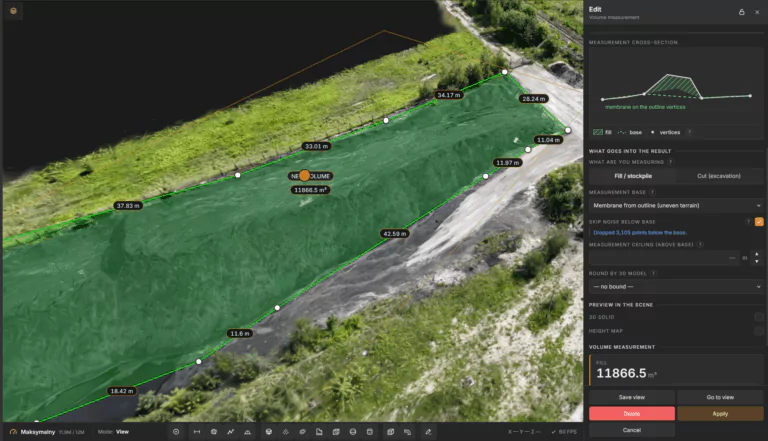
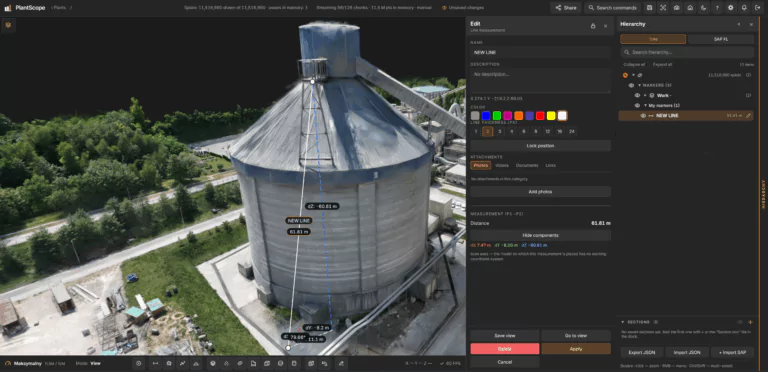
- Measure distances, areas, paths and stockpile volumes – with a downloadable report
- Pin markers with photos, videos, PDFs and links to exact spots on the scan
- Import the SAP FL hierarchy and place it on the scan
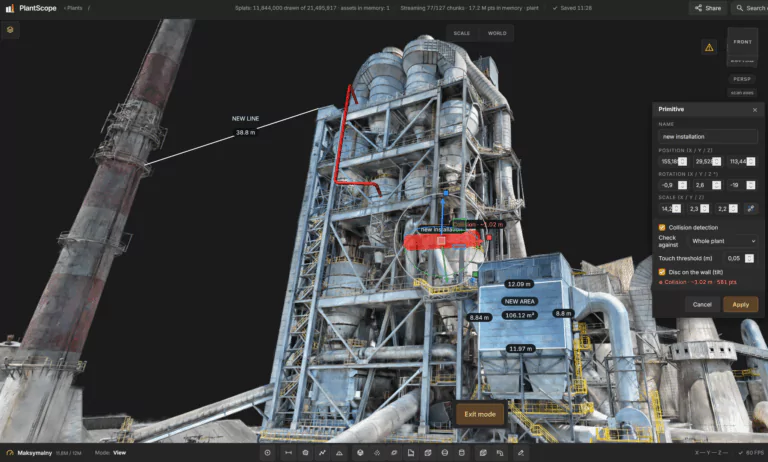
- Place DXF drawings and 3D models (STEP, STL, GLB) and check them for collisions
- Cut the scene with section boxes to look inside buildings and installations
Guide: how to measure stockpile volume from a 3D scan →
All guides
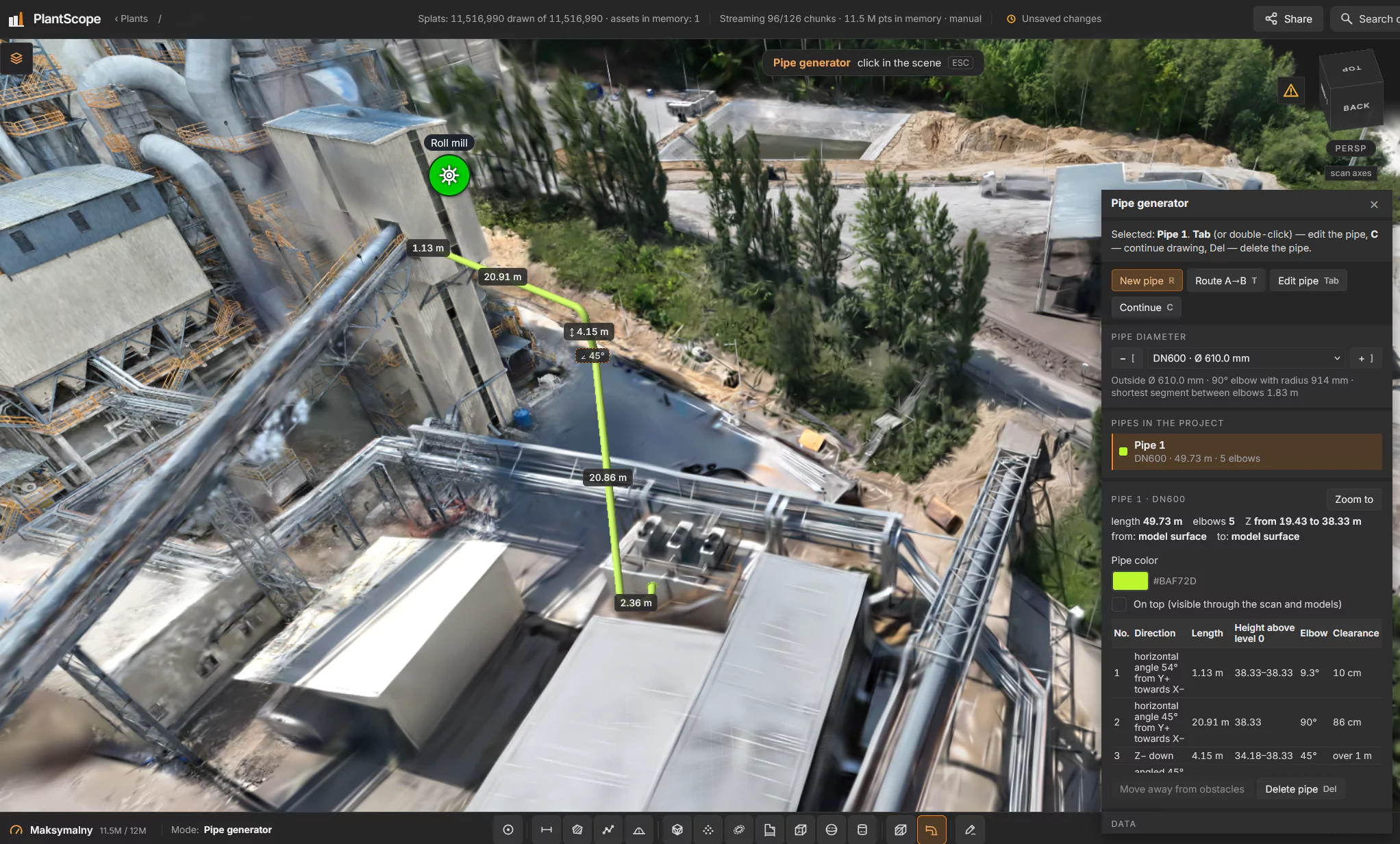
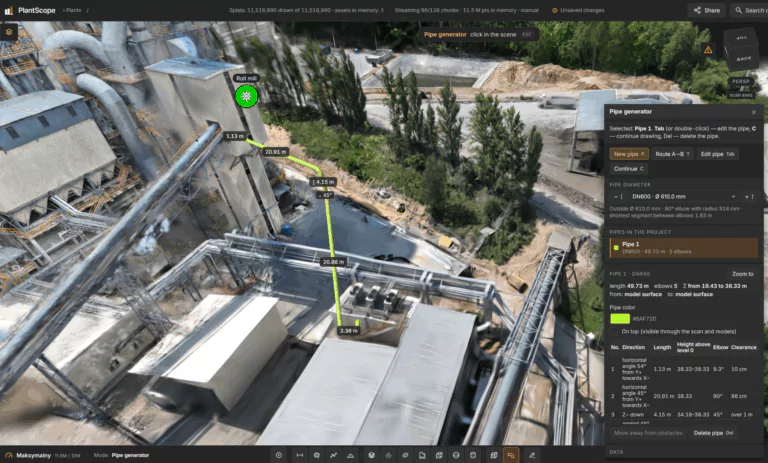
Sketch new pipelines on the real plant
The pipe generator lets you draw piping directly on the scan: real diameters from DN15 to DN600 (EN 10220), elbows, tees and reducers, automatic A→B routing and a 5 cm clearance from existing infrastructure. Export the sketch to DXF and STEP with a CSV bill of materials.
It is a concept sketch that shows where a pipe fits – your detailed design starts from there.

Runs in a web browser – on desktop and tablet

Guest links: share a view without an account

A separate, secure workspace for each organization
Runs in a web browser – on desktop and tablet
Guest links: share a view without an account
A separate, secure workspace for each organization
Why plants choose
PlantScope
One up-to-date 3D picture of the plant that everyone can open – engineers, maintenance, management and contractors.

Stockpile and excavation volumes without walking the yard

Faster concept work for new installations

Documentation and SAP FL data where the equipment is
Fewer site visits just to check dimensions
Easy sharing with contractors and management
Nothing to install – works in a browser and on tablets
Frequently asked questions
What is PlantScope?
PlantScope is a web platform for working on 3D scans of industrial plants. Teams explore the plant, take measurements, pin documentation to equipment, sketch new pipelines and share views – all in a web browser.
Do we need to install anything?
No. PlantScope runs in a web browser on desktop computers and tablets.
What data can we load?
Splat scans, point clouds and meshes (PLY, SOG, LAS and 3D Tiles), 3D models in GLB, GLTF, STEP and STL, and 2D drawings in DXF.
Can PlantScope measure stockpile volumes?
Yes. Draw the outline of a stockpile or excavation and PlantScope calculates the fill, the cut and the balance against the base you choose. The result can be downloaded as a report.
Does PlantScope support SAP FL?
Yes. You import the SAP FL hierarchy – functional locations and equipment – and pin each item to its place on the scan.
How can we share a model with people outside our company?
With a guest link. The guest opens it in a browser without an account and sees only the elements you selected. A link can be valid for 30 days or without expiry.
Is our data separated from other customers?
Yes. Each organization has its own library, plants and accounts – customers never see each other's data.
PlantScope in action
Screens from PlantScope on a 3D scan of a cement plant.