
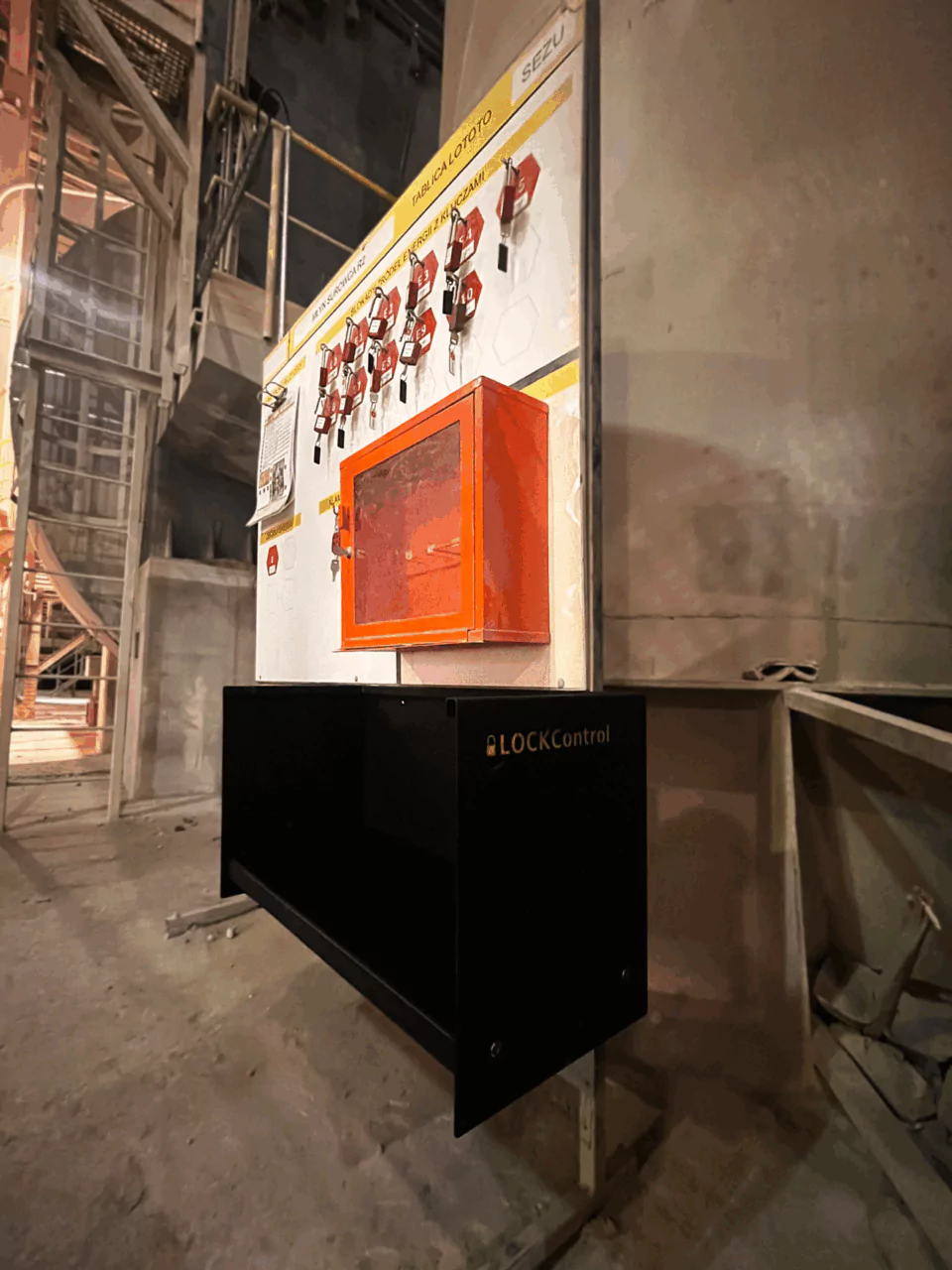
In most industrial plants, lockout/tagout (LOTO) is still recorded on paper. The procedure itself may be well designed, but the record shows only what people declared – not whether a padlock is actually applied, who it belongs to or where the key is at a given moment. Digital LOTO monitoring closes that gap: the system detects the real state of locks and keys and reports any deviation as it happens.
This article explains what digital LOTO monitoring is, how it works for individual and group lockout, and what to look for when choosing a system.
Why a paper LOTO record is not enough
A paper record or a spreadsheet is a list of declarations. It does not tell the supervisor:
- whether the lock is really applied – a signature in the register does not confirm the physical state of the isolation point,
- whose padlock is on which isolation point – especially when several companies and contractors work on the same equipment,
- where a missing key is – and whether it was taken out of the lockbox before the work was finished,
- whether a lock was removed without approval – such events usually come to light only after an incident or during an audit.
In daily practice, the person responsible for safety has to rely on trust and on walking the site. The more parallel jobs and contractors there are, the harder it is to keep an accurate picture.
What digital LOTO monitoring is
Digital LOTO monitoring is not just an electronic version of the paper register. The key difference is that the system detects the state of locks and keys instead of relying on declarations:
- every padlock and key has a permanent, trackable identity,
- the system records whether a lock is applied or removed and whether a key is in the lockbox or out,
- the declared plan of the work is compared with the detected state in real time,
- every deviation triggers an alert, and every event is stored in the history.
In LockControl, isolation points can be supervised in two ways: automatically, by a reader that detects when a lock is applied or removed, or without additional hardware, by scanning a QR code at the isolation point and on the employee’s own padlock with a phone.
Individual lockout
In individual lockout, each employee – including contractor staff – applies their own padlock. The padlocks are collected in LOTOTO boxes assigned to a piece of equipment or an area. For every box, the system shows in real time which locks were declared and which were actually detected, broken down by employee and company.
Individual permits specify the employee, the padlock, the isolation points and the time window. A weekly and multi-day planner shows conflicting dates before the work starts.
Group lockout and permits with approval gates
In group lockout, the isolation points are locked with group padlocks and their keys are kept in a LOCKBOX. The system detects both parts: whether the padlock is applied and whether its key is in place.
The work follows a digital permit with a defined sequence of states: Draft → Active → In progress → Unlocking → Completed. The permit cannot move to “In progress” or “Completed” until the system physically detects that the locks have been applied or removed.
A permit card with approval gates – activation, start of work, unlocking and completion – lists the steps that must be confirmed. Steps can require a specific role, for example a safety representative, and can be confirmed with a personal NFC card. A step can be bypassed only by an administrator with a mandatory note, and the bypass is recorded as an exception.
Alerts and audit-ready history
The system reports deviations immediately, in the application and by e-mail, for example when:
- a key is taken out of the LOCKBOX too early or without a permit,
- a padlock is removed without approval,
- a padlock and its key are separated,
- an unknown key appears in the LOCKBOX,
- a reader stops responding.
Every event is stored with the time and the person responsible. Reports of lockout errors and events can be exported to CSV, XLSX or interactive HTML, which makes it easier to prepare for internal and external audits.
Implementation without changing your procedures
Digital monitoring should support the existing LOTO procedure, not replace it. In LockControl:
- standard padlocks are used, each with a permanent identity label – there are no Bluetooth padlocks to pair or charge,
- no wiring and no changes to the plant network are required,
- existing lockout instructions stay in force and can be attached to permits as PDF cards,
- a new isolation point can be added in a few minutes without a specialist.
What to look for when choosing a system
When comparing digital LOTO solutions, check whether the system:
- detects the physical state of locks and keys, not only declarations,
- supports both individual and group lockout,
- enforces approval gates that cannot be skipped without a recorded exception,
- handles contractors with their own padlocks and separated data,
- sends real-time alerts and keeps a complete history,
- can be deployed without wiring, IT changes or new procedures.
See LockControl in your plant
LockControl gives every padlock and key a trackable identity, detects whether locks are really applied and reports deviations as they happen. Learn more about LockControl or book a demo.