
IoT Safety Systems
KeyTrack – Key and Access Point Monitoring
KeyTrack shows in real time who took which key, which doors and hatches are open and whether every key came back – each key taken against a permit for a specific job and time.
Book a demo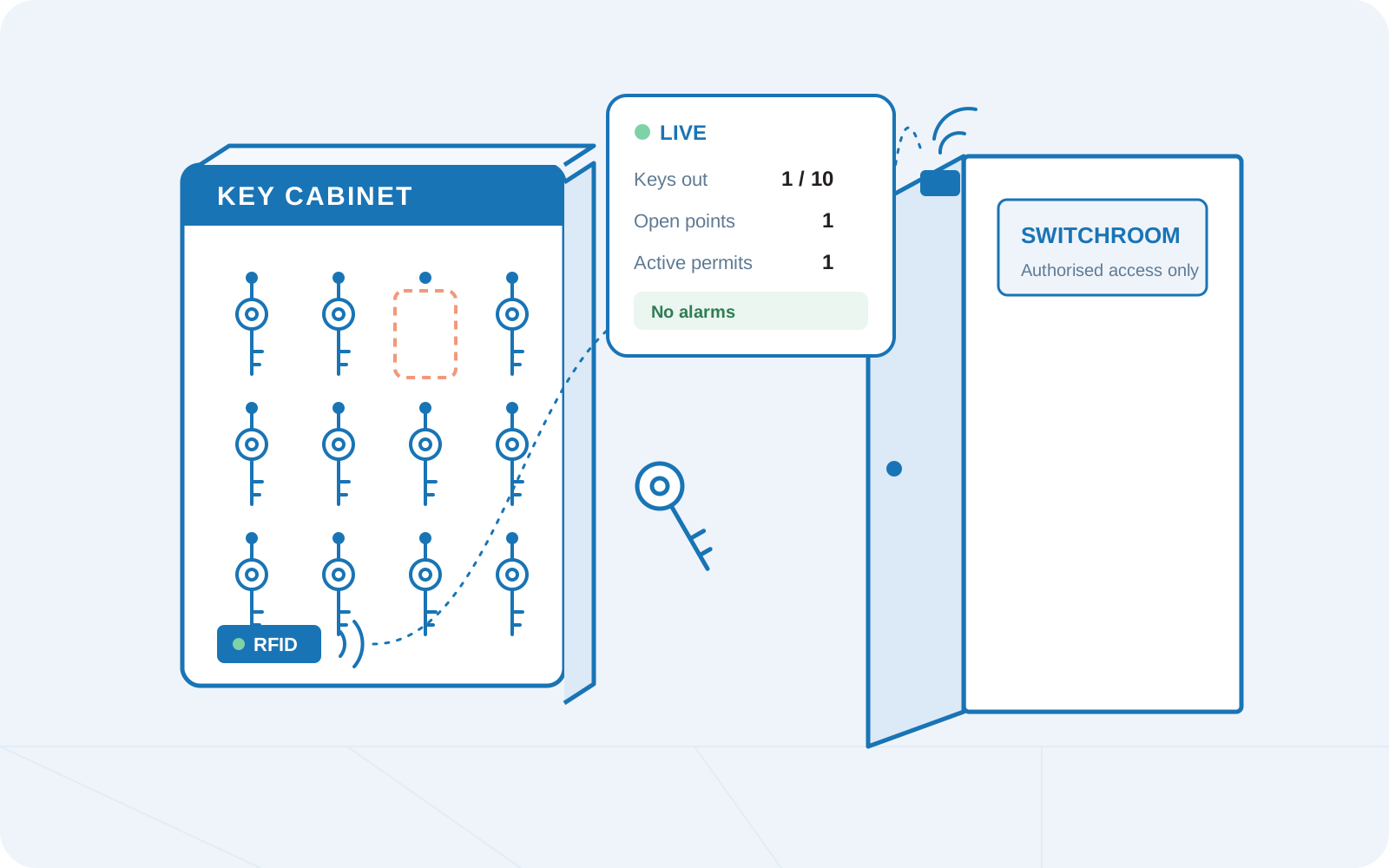
Every key accounted for
Key cabinet and door sensors, monitored liveKeys to switchrooms, roofs, silos, dust collectors and hatches give access to some of the most dangerous places in a plant. In many sites they still hang on a board, and nobody knows for sure who has them or whether the door behind them is open.
With KeyTrack, every key carries RFID tags and is kept in a key cabinet with a reader, so the system knows automatically whether each key is in the cabinet or out. Wireless door sensors on the access points report whether each door or hatch is open or closed. The reader connects over the local network or remotely, for example over LTE, so KeyTrack also works in places without a local network.
How KeyTrack works
A permit for every key. Each key is taken against a permit: the worker and company (or a guest), the access point and the time window. The key and the cabinet are filled in automatically.
A live timeline of every job. In the permit details you see each step as it happens: key taken, access point opened, closed, key returned.
Alarms on deviations. A key taken without a permit first raises a warning and then an alarm. If a permit is created afterwards, the alarm clears, but the event stays in the history. Overdue keys and lost communication with sensors, gateways or readers are flagged too.

A permit for every key – who, where and when

Live timeline: key taken, door opened, closed, key returned

Alarm when a key is taken without a permit
A permit for every key – who, where and when
Live timeline: key taken, door opened, closed, key returned
Alarm when a key is taken without a permit
Why plants choose
KeyTrack
KeyTrack links physical access to high-risk areas with permits for work – and keeps the evidence for every safety audit.

Live dashboard: keys out, open access points, active permits and alarms

Alerts on keys taken without a permit and on overdue keys

Complete, timestamped history for safety audits

Hardware health monitoring for sensors, gateways and readers

Reports in CSV, XLSX or interactive HTML

Guided setup wizard for every new site
Frequently asked questions
What does KeyTrack monitor?
Whether each key is in the key cabinet or out, whether each access point (door, hatch, roof access, switchroom) is open or closed, and which permit every key was taken against – all in real time.
What hardware does KeyTrack use?
Keys with RFID tags, a key cabinet with an RFID reader, and wireless door sensors on the access points connected through radio gateways (LoRaWAN).
Do we need a local network on site?
Not necessarily. The reader can work on the local network or connect remotely, for example over LTE.
What happens if someone takes a key without a permit?
KeyTrack first shows a warning and then raises an alarm. If a permit is created afterwards, the alarm clears, but the event stays in the history. The alarm also clears when the key is returned.
Can we use KeyTrack for audits?
Yes. Every key movement and door opening is timestamped and linked to a permit and a person. Reports can be exported to CSV, XLSX or an interactive HTML document.
How is KeyTrack different from LockControl?
KeyTrack controls access to areas – keys and the doors they open. LockControl monitors lockout/tagout on isolation points – padlocks and lockboxes. Both can run in the same plant.