
IoT Safety Systems
LockControl – Digital LOTO Software
LockControl is lockout/tagout (LOTO) software that makes every padlock and key trackable, senses whether locks are really applied and alerts you the moment reality drifts from your LOTO procedure – with a complete record of who, what, when and where.
Book a demo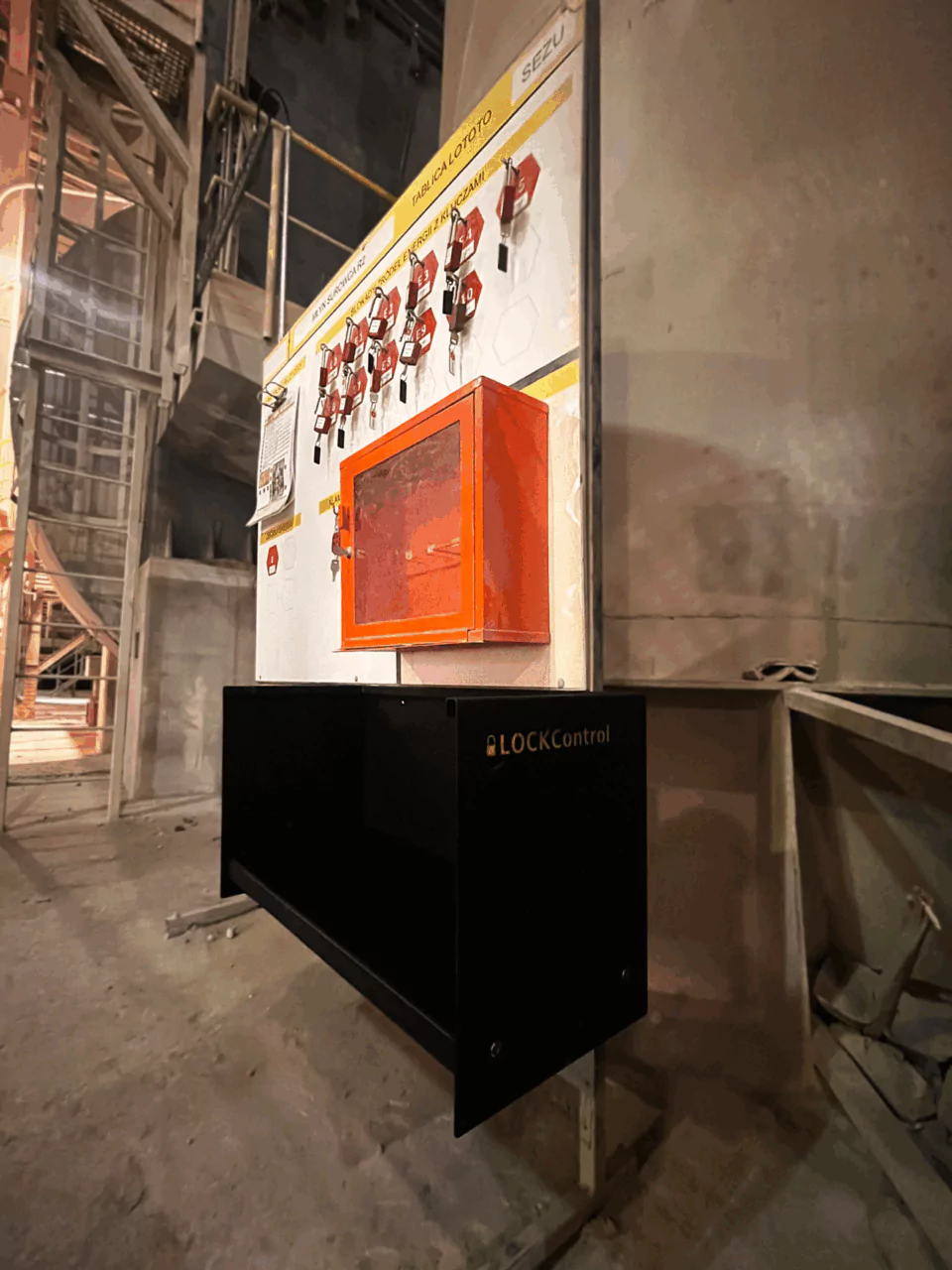
LOTO software that verifies, not just records
Every lock and key, sensed in real timeIn most plants, lockout/tagout still runs on paper and good faith. Digital forms and checklists help, but they still record what people declare. Nobody can say for sure whose lock is on which isolation point, where a missing key went, or whether a lock was really applied before work started.
LockControl gives every padlock and key a permanent, trackable identity. The system senses whether each lock is applied or removed and whether each key is in the lockbox or out – automatically, not entered by hand. When something does not match the procedure, you get an alarm straight away, and every action is saved in a timestamped history.
Your existing LOTO procedures stay in place: the instruction card for each machine can be attached to the permit as a PDF and opened on a phone at the isolation point. LockControl runs in a web browser on a computer, tablet or phone.
Guide: Digital LOTO – how to monitor lockouts in real time →
More details on the LockControl website: verifyloto.com.
See LockControl in action
Watch how LockControl checks that each padlock is applied at the right isolation point, tracks keys in the LOCKBOX during group lockout and raises an alarm when something does not match the procedure.
Video, 2:39
Two ways to lock out
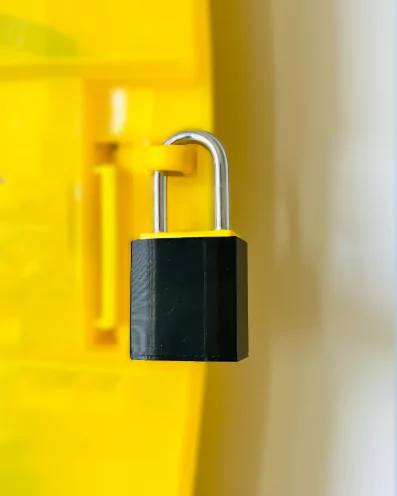
Individual lockout. Each worker applies their own padlock to the isolation point. Every padlock is assigned to an organisation, a company and a worker – including contractors – and LOTO boxes show live how many locks are actually applied compared with how many were planned.
Group lockout with a LOCKBOX. Keys go into an intelligent lockbox and the work follows a digital permit: Draft → Active → In progress → Unlock → Done. The permit card adds approval gates confirmed with a tap or an NFC card, and the permit cannot move forward until the lock is physically sensed as applied or removed.
Isolation points can be monitored by sensors (SMART mode) or confirmed by workers with two QR scans on a phone (QR mode).

No Bluetooth padlocks – nothing to pair or charge

No wiring, no network changes, no IT approvals

No end-user training – workers lock out as they always have
No Bluetooth padlocks – nothing to pair or charge
No wiring, no network changes, no IT approvals
No end-user training – workers lock out as they always have
Why safety teams choose
LockControl
LockControl adds visibility and proof on top of the lockout procedure you already trust – there is almost nothing to learn, wire or change.

Live view of every lock, key and isolation point

Instant alerts when a key leaves the box early or a lock is removed without approval

Permit card with approval gates that no step can skip

Separation of duties – overrides only with a mandatory note

Audit-ready history exported to CSV, XLSX or interactive HTML

Contractors tracked with their own padlocks, data isolated per company
Frequently asked questions
What does LockControl monitor?
The physical state of your LOTO padlocks and keys – applied or removed, in the lockbox or out – sensed in real time and automatically, not entered by hand.
How is it different from a paper LOTO log?
A paper log records what someone says happened. LockControl senses what is actually happening on the isolation points and alerts you as soon as reality and the procedure do not match.
What does it take for our team to start using it?
Very little. Workers apply their padlocks exactly as they do today – there is no Bluetooth pairing, no batteries to manage and no change to your lockout procedures.
Do we need to change our network or IT infrastructure?
No. LockControl works without wiring, without changes to your network and without IT approvals. A new monitoring point can be added in minutes.
What is the difference between individual and group lockout?
Individual lockout monitors each worker's own padlock on an isolation point. Group lockout keeps keys in an intelligent lockbox and runs the job through a multi-step permit with approval gates and an enforced sequence.
Can we use LockControl for audits and inspections?
Yes. Every action is timestamped and attributed to a person, and the full history can be exported to CSV, XLSX or an interactive HTML report.
How does LockControl work with XR LOTO?
They cover both sides of lockout/tagout safety: in XR LOTO employees practise your LOTO procedures in VR, and LockControl verifies that the same procedures are followed on the real equipment.
Is LockControl software or hardware?
Both, working together. LockControl is a web application for permits, alerts and reports. Isolation points can be monitored by sensors (SMART mode) or, with no extra hardware, confirmed by workers with two QR scans on a phone (QR mode). Padlocks are standard ones with a durable identification label – no Bluetooth padlocks to pair or charge.
Does LockControl replace our LOTO procedures or procedure-writing software?
No. LockControl does not write energy control procedures – it checks that the procedures you already have are followed on the real equipment. Instruction cards can be attached to permits as PDF files.
Which plants is LockControl designed for?
Plants where maintenance work requires isolating hazardous energy – manufacturing, energy and utilities, chemicals, food and beverage, cement and multi-line facilities – and the contractors who work on these sites.